Have you ever wondered how your iPhone finds your Apple TV, or how your computer "just knows" your printer is online without you typing in an IP address? The magic behind this "Zero Configuration" experience is a protocol called Multicast DNS (mDNS).
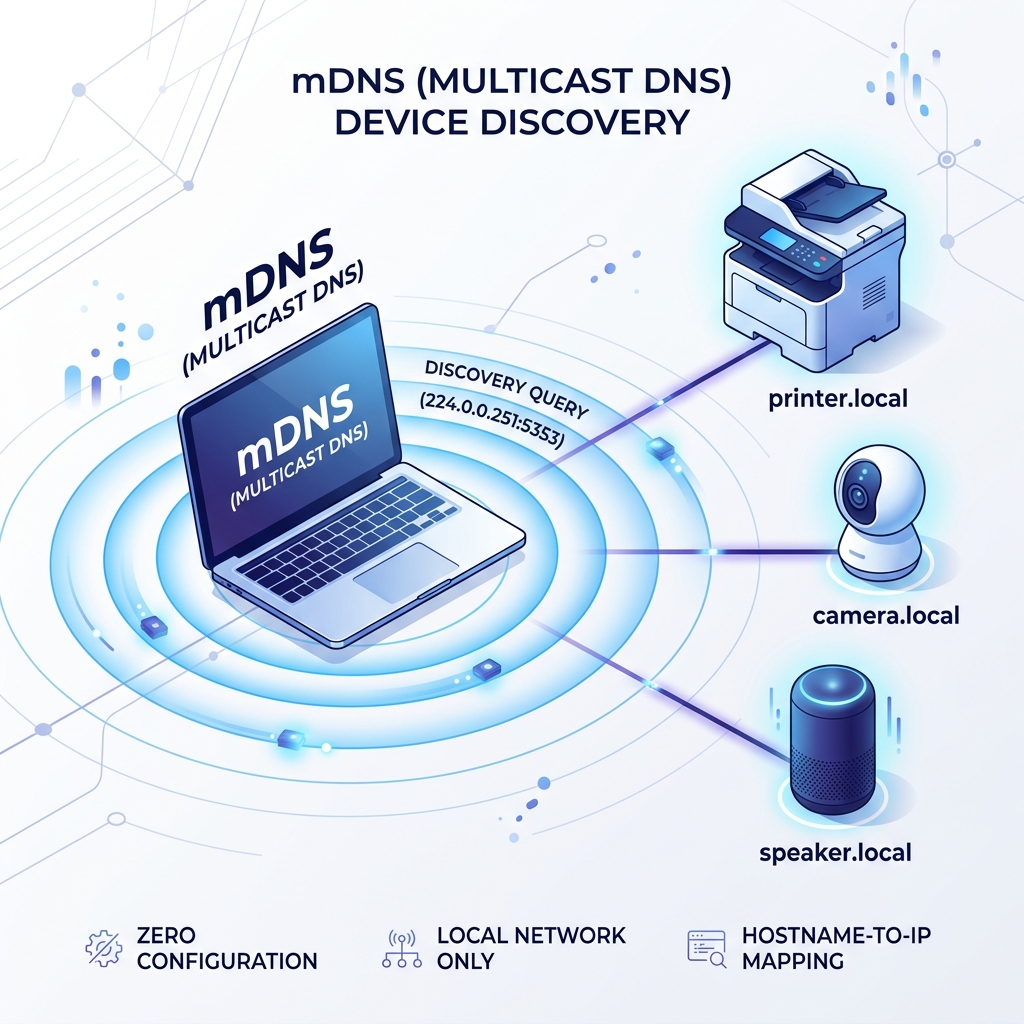
How mDNS Works
In a traditional network, a Central DNS server handles the mapping of hostnames (like google.com) to IP addresses. On a local home network, however, there is usually no such server.
mDNS solves this by allowing every device to act as its own "mini DNS server." When a device joins the network, it broadcasts its name and IP address to all other devices on the same subnet using the multicast address 224.0.0.251.
The .local Domain
mDNS is the reason why local devices often have hostnames ending in .local. When you try to connect to printer.local, your computer sends out a broadcast asking: "Who is printer.local?". The printer then replies directly with its IP address.
Why it Matters for LAN Lens
LAN Lens uses mDNS interrogation to go beyond simple pings. By listening to and querying mDNS traffic, we can retrieve high-fidelity information about your devices, including:
- Official hostnames
- Hardware models (e.g., "HP LaserJet 400")
- Operating system versions
- Active services (AirPlay, HomeKit, etc.)
Try it yourself
Open LAN Lens on your WiFi and run a scan. Look for devices with a "hostname.local" entry—that's mDNS in action!